Project Calendar & Task Tracking
Zoom into your schedule. Track every task and cost instantly.
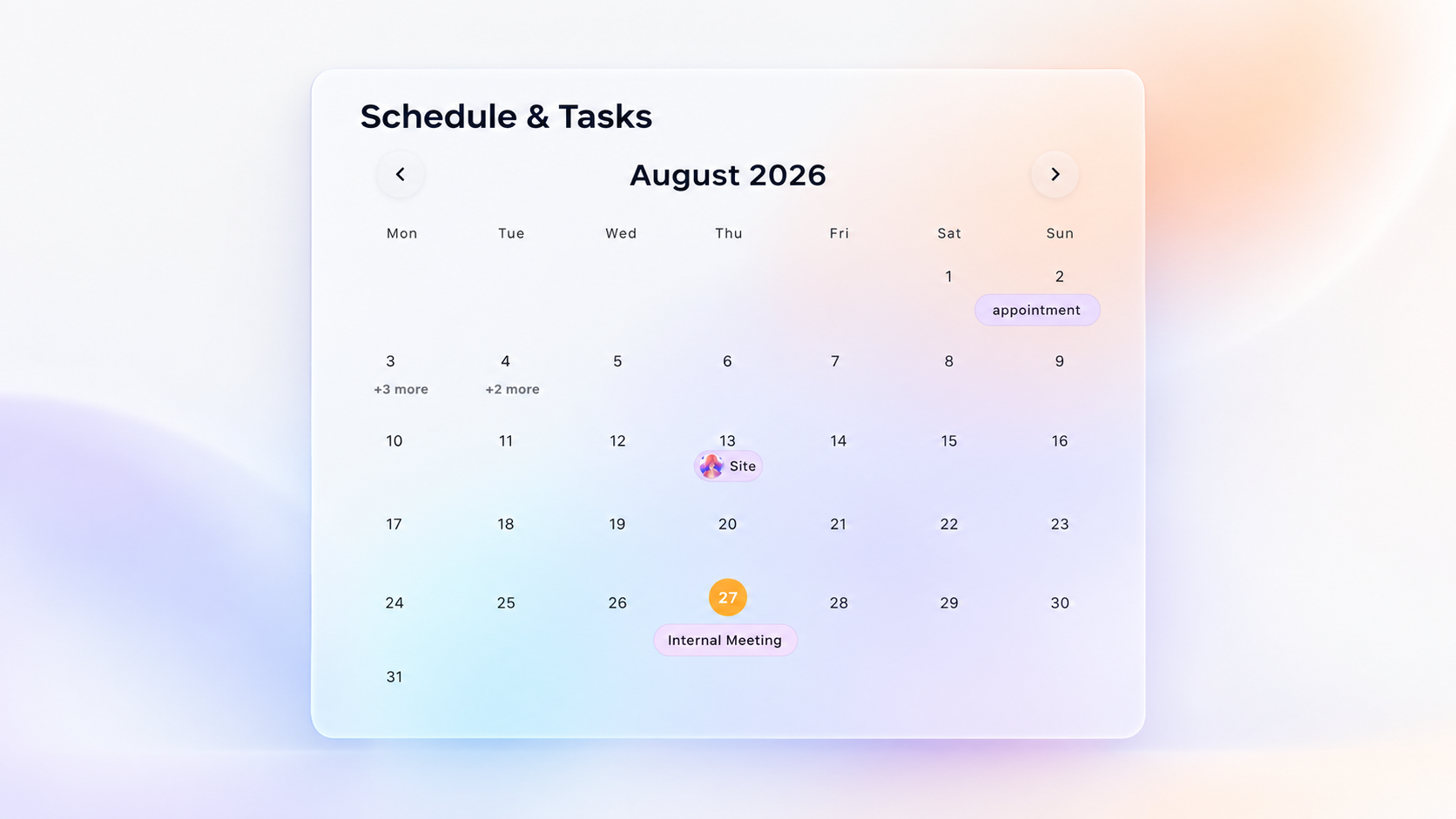
Pinch to expand the calendar, view assigned members, and click any task to reveal detailed briefs and built-in chat. Track responsibility and let LiaLoop calculate labor hours and project costs automatically.
See your timeline in action
Stop Guessing. Start Tracking.
Managing schedules on whiteboards and tracking labor costs in spreadsheets leaves you blind. LiaLoop connects the two.
Clunky calendar interfaces that make it impossible to see daily task details at a glance.
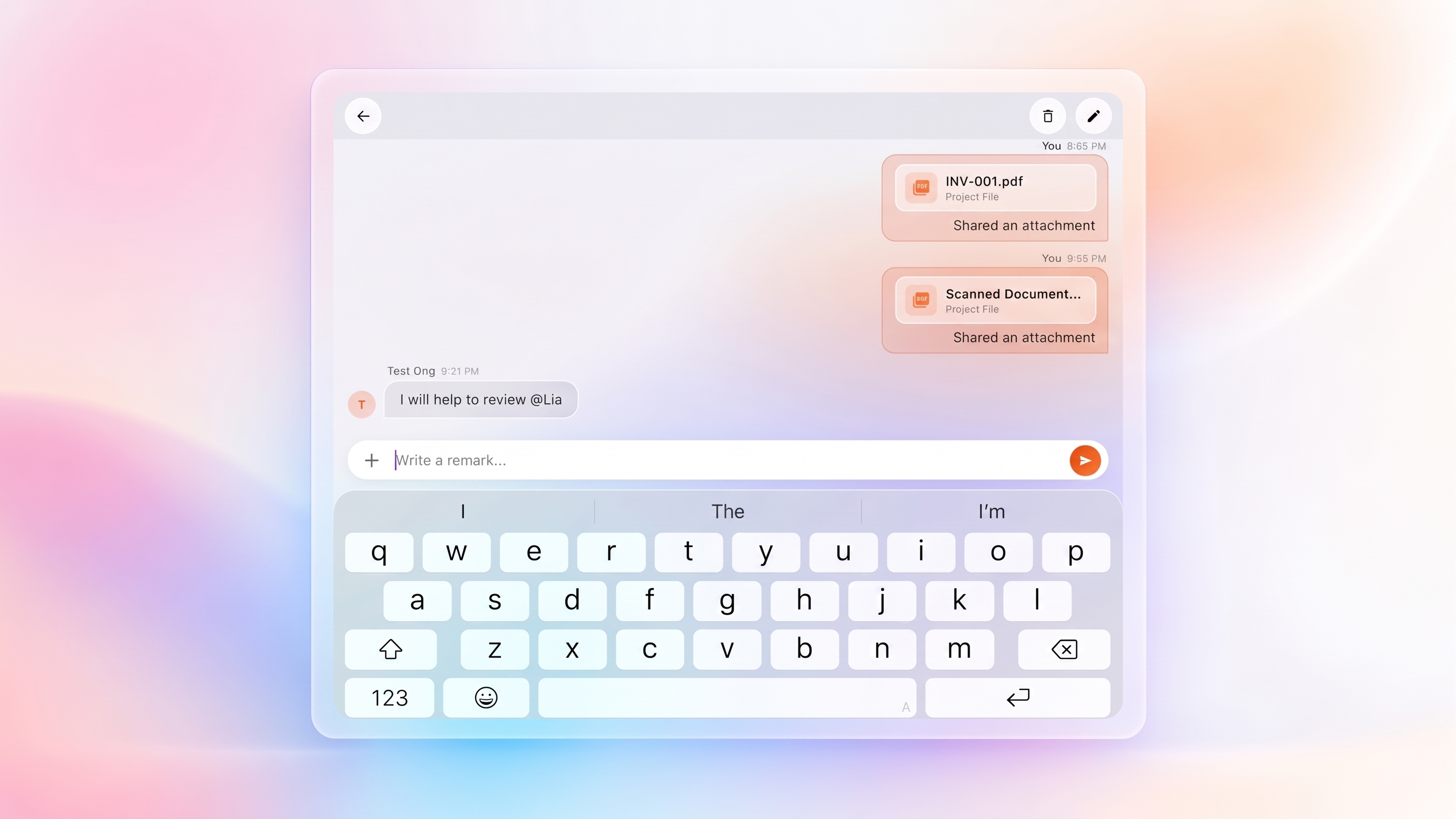
Task discussions are lost in endless WhatsApp groups, separated from the actual schedule.
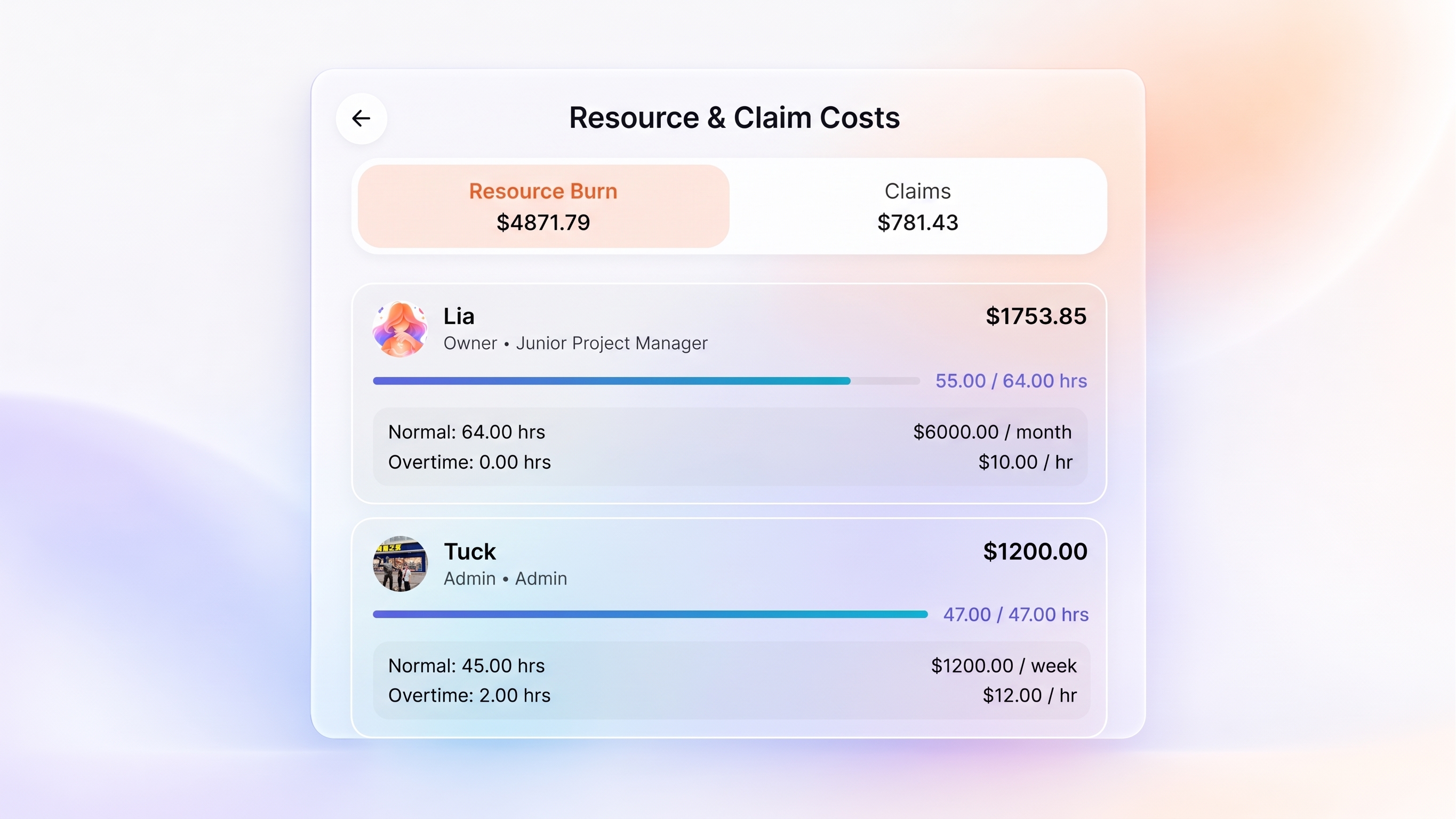
Manually calculating labor costs at the end of the month by cross-referencing timesheets.
Pinch to expand on mobile, or double-click on desktop to instantly zoom into your task schedule.
Click any task to see assigned members and chat directly within the context of the work.
Every assigned member's labor hours are automatically calculated into the total project cost.
Visual tracking built for accountability.
iOS-Style Expansion
Navigate your schedule effortlessly. Use two fingers to pinch and expand the calendar on mobile, or double-click on your desktop to seamlessly reveal every task and assigned member for a specific date.
Built-in Discussions
Select any date to view tasks, then click into a task to see full details. Keep all communication organized with a dedicated chat thread for every single task, ensuring your team is always aligned.
Automated Labor Costs
Track hours seamlessly. When you assign a member to a task, LiaLoop automatically calculates the labor hours and instantly updates the overall project cost, keeping you within budget.
Frequently Asked Questions
How does the interactive calendar expansion work?
Our project management calendar software features a native, fluid interface. On mobile, you can use two fingers to pinch and expand the calendar view (just like the iOS calendar). On desktop, simply double-click the calendar to instantly expand and view all scheduled tasks and the members assigned to them.
Can I chat with team members directly on a task?
Yes. When you select a date on the calendar, it displays the tasks for that day. Clicking into a specific task reveals the complete task details along with a dedicated chat discussion thread. This ensures all communication is tied directly to the work being performed.
How does task tracking calculate labor costs?
LiaLoop is designed to track user responsibility and hours spent seamlessly. Every time you assign a member to a task, the software automatically tracks their labor hours and calculates the financial impact, instantly updating the total labor cost on the overall project dashboard.
Ready to take control of your schedule?
Join thousands of managers tracking tasks and labor costs visually with LiaLoop.